A cracked screen is bad enough. A mobile that sends you to the wrong gate, drops your map in the bush or dies before knock-off can cost far more. GPS rugged phones are built for workers who need a dependable position fix when the job is nowhere near a tidy office car park.
That does not mean every chunky phone with an oversized battery is fit for field navigation. GPS performance depends on the receiver, antenna design, map setup, battery management and the way the phone is mounted or carried. The difference matters when you are following farm tracks before sunrise, locating assets across a mine site or coordinating a crew after reception disappears.
What GPS Rugged Phones Actually Do
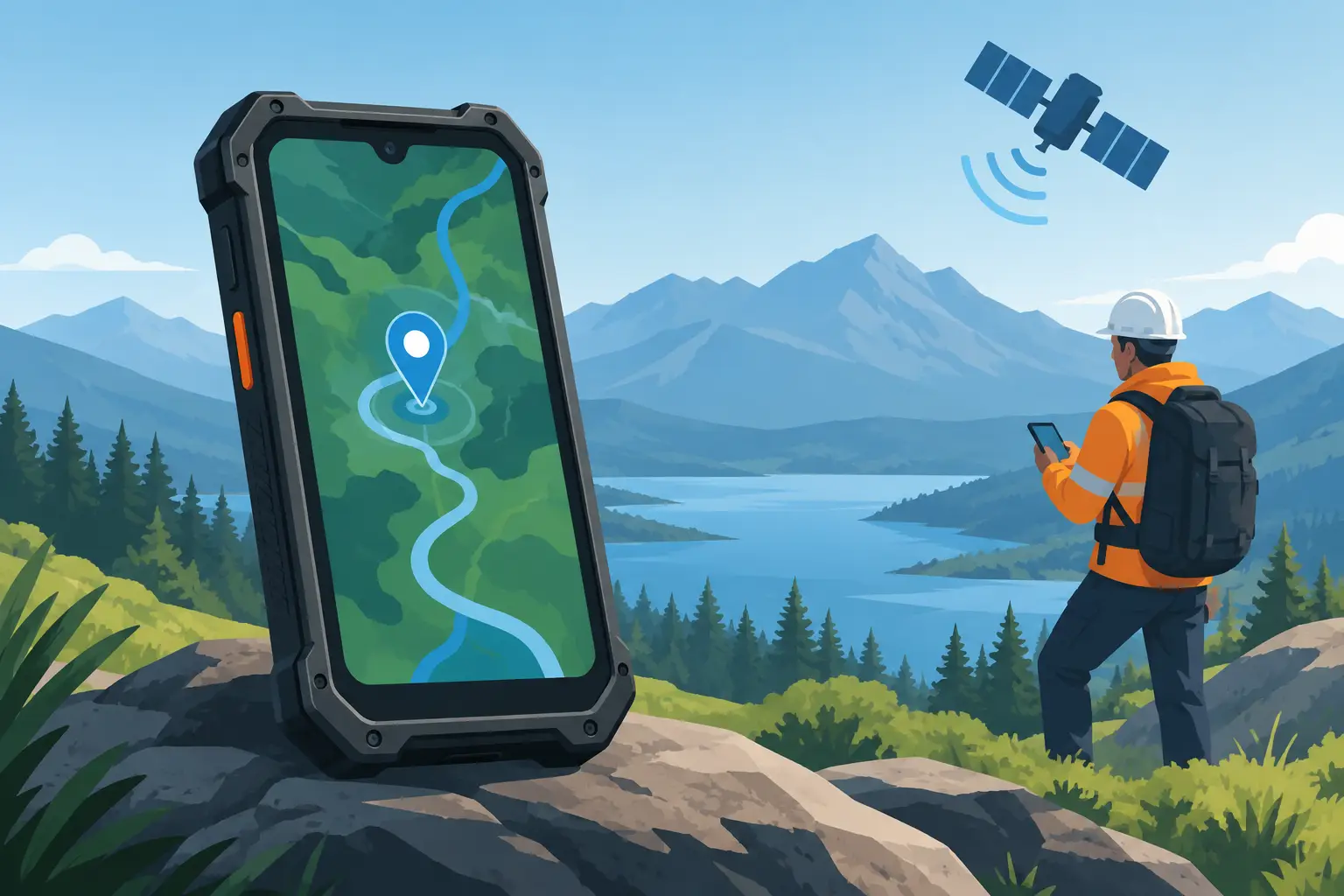
A GPS receiver works by listening to satellite signals. It does not need mobile coverage to calculate your location, which is the part many buyers get wrong. If the phone has a clear enough view of the sky and its GNSS receiver is working properly, it can establish a position in remote areas without a SIM signal.
The catch is mapping. Most map apps download map tiles, satellite imagery, search results and route data through mobile data. No coverage means no new map information unless you have downloaded the required area beforehand. A good rugged phone can know exactly where it is, but that is of limited use if the map beneath the location marker is blank.
For remote work, prepare offline maps before leaving town. Download a sensible area around the work zone, including alternate tracks and access roads. Check the map at home or in the depot with flight mode switched on. That simple test tells you whether your navigation setup will still work when the network does not.
GPS Is Only Part of the Navigation Picture
Modern phones commonly support more than GPS. Look for multi-constellation GNSS support, which may include Galileo, GLONASS and BeiDou. More satellite systems give the phone more signals to work with, helping it lock onto a location faster and maintain it around tree cover, gullies, machinery or built-up industrial sites.
A compass is also useful, especially when you are on foot. The blue dot on a map can show where you are, but the compass helps establish which direction you are facing. It needs calibration from time to time, and magnetic interference from a vehicle, steel structure or heavy equipment can throw it off. Treat it as a useful aid, not a substitute for reading the ground and carrying proper backup navigation equipment where the risk demands it.
Elevation readings deserve the same caution. Phone altitude figures can vary significantly depending on satellite geometry and local conditions. For general field orientation they can be helpful. For survey-grade work, compliance reporting or precise mine planning, use equipment designed and certified for that level of accuracy.
Cold starts, hot starts and real field use
After a phone has been off for days or travelled a long distance, it may take longer to acquire its first satellite fix. This is normal. Once it has current satellite data and recent location information, future fixes are usually quicker. Before heading out, open your navigation app and allow the phone to find its position while you still have a clear view of the sky.
Do not judge navigation performance from one test beside the workshop wall. Test it where you work: in the ute, on a track, around metal sheds, under canopy and at the bottom of the site. Those are the conditions that count.
Hardware That Makes GPS Useful on Site
Rugged hardware is not decoration. A navigation phone needs to survive the situations that stop an ordinary consumer mobile: wet gloves, vibration in a cab, dust in a pocket, hard knocks on concrete and long days away from a charger.
Start with ingress protection. IP68 and IP69K ratings indicate resistance to dust and water under defined test conditions, while a stated MIL-STD-810H test claim can point to testing for drops, vibration or temperature. Read the detail rather than treating these labels as a licence to abuse any phone. A handset can be highly water resistant and still suffer from a damaged charging port, a loose SIM tray or impact damage outside the test conditions.
The screen matters more than buyers often expect. A bright display is essential in Australian sun, where a dim panel becomes unreadable before smoko. Glove and wet-touch support can save time, but test sensitivity with the gloves you actually wear. A raised bezel, reinforced glass and a case designed for the model all help, yet no screen is indestructible.
Battery capacity is another practical advantage. Navigation, a bright screen and continuous satellite tracking consume power quickly. A large battery gives you useful margin, but it also adds weight and increases charging time. For a phone mounted in a vehicle all day, a quality power lead and secure mount may matter more than chasing the largest battery figure on the spec sheet. For foot patrols, inspections and overnight work, battery capacity becomes a much bigger priority.
Replaceability is worth asking about as well. A cheap phone that is glued shut and difficult to repair is not automatically good value because it has a big battery. Consider whether the charging port, screen and battery can be serviced, and what warranty support is available in Australia. Field gear should have a path back from damage, not a one-way trip to the rubbish bin.
Choose the Right Phone for the Job, Not the Spec Sheet
There is no single best choice for every crew. A farmer covering large properties may prioritise offline mapping, battery endurance and a loud speaker. A transport operator may need dependable 4G or 5G bands, a cab mount and easy hands-free use. Mining and construction workers may place more weight on waterproofing, drop protection, thermal imaging or a programmable physical button.
For remote-area workers, Australian network compatibility is non-negotiable. A grey import can look impressive on paper but lack the bands needed for practical coverage on your carrier. It may also come with poor software support, questionable parts and no meaningful local warranty. That is false economy when the device carries your maps, job photos, forms and emergency contacts.
Camera features can matter too. A good standard camera records defects, site conditions and delivery evidence. Night vision can help around property at night, while thermal imaging can assist with inspections in the right hands. Neither replaces specialist equipment where accuracy or safety is critical, but these tools can reduce the gear you need to carry for everyday checks.
Set it up before it becomes urgent
The best time to configure a rugged navigation phone is not when a vehicle is bogged or a crew member has missed a turn. Install and test your preferred offline map app, download operating areas, set emergency contacts and keep essential documents available offline. Confirm that location permission is enabled, then test the phone with mobile data disabled.
Keep a charging routine that matches the job. A phone left at 100 per cent on a hot dashboard is not being looked after. Avoid unnecessary heat, use decent cables and chargers, and inspect ports for dust or corrosion. If the handset has a physical SOS or programmable key, make sure it is set deliberately and that staff know what it does.
The Trade-Offs Worth Making
Rugged phones are usually thicker and heavier than mainstream flagships. That bulk is the price of a larger battery, reinforced housing and better protection. Some also have more modest cameras or processors than lifestyle phones at a similar price, because their budget goes into durability, practical sensors and battery capacity instead.
For field work, that trade-off is often sensible. You are not buying a fashion accessory for a careful commute. You are buying a working tool that must still be usable after rain, dust, vibration and a hard day in the paddock or on site.
A well-chosen rugged phone should remove uncertainty from the job, not add another device to manage. Get the maps downloaded, test the GPS where you actually operate, and choose a handset backed by people who understand why a missed location pin can become a serious problem.