A cracked screen at the end of a shift is annoying. A dead mobile when you are alone on a property, coordinating a delivery or waiting on a critical job is a proper operational problem. Knowing how to protect a work phone is not about wrapping it in cotton wool. It is about choosing gear and habits that keep it working through dust, rain, vibration, drops and long days away from a power point.
For trades, farming, mining, transport and field crews, a consumer phone in a thin case is often a false economy. It may look protected until the first hard knock, wet ute tray or fine-dust job. Build protection around the way the phone is actually used, not the way it looks on a desk.
Start with a phone built for the job
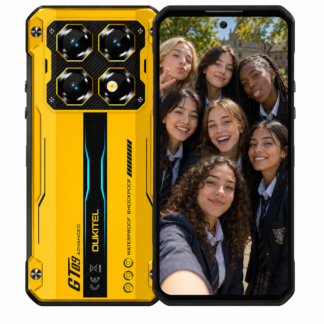
The best case cannot turn a fragile handset into a site-ready tool. If your phone regularly sees concrete, machinery, wet weather, grease, livestock yards or remote work, start with a properly rugged device.
Look beyond the word “rugged” in a product listing. A serious work phone should state its water and dust rating, drop resistance and operating temperature range. IP68 or IP69K ratings are useful indicators, but they are not a free pass to ignore damage. Check what the rating covers and whether ports must be closed before exposure to water or dust.
Construction also matters. A reinforced frame, raised screen surround, protected corners and secure port covers do more for day-to-day survival than a flashy specification sheet. Battery capacity deserves equal attention. A phone that lasts a full shift without being charged in the cab is less likely to be plugged into questionable leads, left unattended or run flat when it matters.
For workers who use a phone as a camera, GPS, scanner and communications device, buying the cheapest imported model is a poor gamble. Network support, replacement parts, warranty terms and local service matter when the phone is a work tool rather than a weekend accessory.
How to protect a work phone before it goes on site
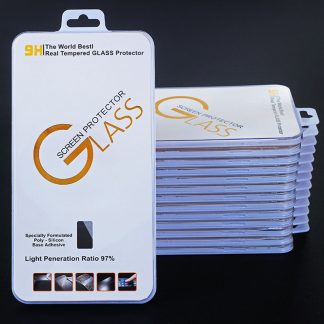
Even a tough handset needs a sensible setup. Fit a quality screen protector from day one, not after the first scratch. Tempered glass is a practical option for flat displays, while purpose-made protective film can suit screens with curves or unusual shapes. Replace it when it is deeply chipped or lifting at the edge. A damaged protector can reduce touch response and give grit a path to the screen underneath.
A case is still worthwhile on many rugged phones, particularly if the device is frequently mounted in a vehicle or carried with tools. The right case should not block microphones, antennas, camera lenses or heat dissipation. Avoid loose universal cases. They trap dust, can pull at charging cables and often fail when the phone takes a real hit.
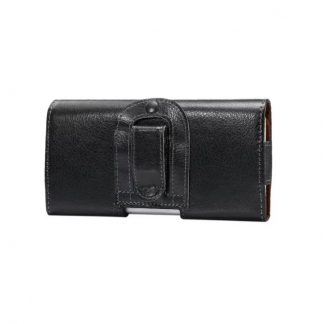
Use a lanyard, belt clip or secure holster where it makes sense. This is not glamour gear. It prevents the most common accident of all: a phone slipping from a pocket while climbing, crouching or leaning over machinery. For high-risk work, a tether is cheaper than a screen replacement and far cheaper than a lost handset down a drain, into a dam or under a machine.
Do not leave the mobile loose on the dashboard, seat or ute tray. Heat, vibration and sudden braking are hard on any device. A solid vehicle mount keeps it visible for navigation and stops it becoming a projectile on corrugations. Position it away from direct sun where possible. Extreme cabin heat can shorten battery life, trigger shutdowns and damage adhesives over time.
Keep dust, water and charging ports under control
Ports are a weak point because they collect exactly what worksites produce: grit, metal filings, moisture and lint. Before charging, inspect the USB port and cable. If there is visible debris, switch the phone off and gently remove loose material with a dry, non-metal tool or use a light burst of air. Do not jam in a screwdriver, paperclip or wet rag. Damaging the internal contacts turns a simple clean into a repair job.
If the phone has a port cover, close it properly after charging. It is easy to dismiss one loose flap, but that small gap can be enough for fine dust or water to reach the connection. Magnetic charging accessories can reduce wear on some devices, though they should be used only when designed for the model and kept clean. A magnetic lead covered in metal dust is not a clever workaround.
After exposure to saltwater, slurry, chemicals or heavy mud, rinse the exterior only if the manufacturer permits it, then dry it thoroughly. Never charge a wet phone. Give the port time to dry naturally, with the cover open if the device instructions allow. Heat guns, ovens and a blast of compressed air at close range can force moisture further inside or damage seals.
Protect the data as seriously as the handset
A work mobile can be replaced. Job photos, customer contacts, compliance records, maps and authentication codes may not be so easy to recover. Physical protection without data protection is only half a plan.
Set a strong PIN or passcode rather than relying only on a swipe pattern. Use fingerprint or face unlock for convenience, but keep a proper passcode underneath. Turn on device tracking and remote wipe before the phone is lost, not afterwards. For shared devices, set clear access rules and remove former staff promptly.
Back up photos and essential files automatically when the phone connects to trusted Wi-Fi or has adequate mobile data coverage. If the business uses a management platform, enrol the device and keep it enrolled. That allows security settings, app controls and updates to be managed without chasing every worker at the end of the week.
Be selective with apps. A torch, messaging app or PDF viewer should not demand access to contacts, location, microphone and every file on the phone unless there is a genuine reason. Download apps through official stores, review permissions and delete software nobody uses. Free tools with intrusive advertising are not worth the risk on a work device.
Make a few settings changes that prevent trouble
Automatic software updates can be inconvenient, particularly in remote areas with limited coverage. Leaving a phone unpatched for months is worse. Set updates to download on Wi-Fi and choose a time when the device is usually charging and not required for urgent calls. Check that critical work apps still function after major operating system updates.
Enable a battery charging limit if the device offers one and it spends most of its life on a vehicle charger or dock. Keeping a lithium battery at 100 per cent in high heat day after day will wear it faster. On the other hand, if workers are remote for extended periods, full capacity may be the sensible trade-off. Match the setting to the job, not a generic battery rule.
Turn off Bluetooth, Wi-Fi and hotspot functions when they are not needed in public or unfamiliar locations. This saves power and reduces needless exposure. Use a work profile or separate user account where possible, especially on phones that also carry personal apps and social media.
Give every worker a simple end-of-shift routine
Protection fails when it depends on someone remembering twenty different rules. A short routine is more likely to stick. Before finishing up, workers should check the screen and camera lens for damage, make sure the charging port is dry and clear, confirm the phone has enough charge for the next shift, and back up anything recorded that day.
They should also report small faults early. A loose port, cracked seal, swollen battery, intermittent microphone or screen lifting at one corner is not cosmetic wear. It is a warning that water resistance and reliability may already be compromised. Continuing to use a damaged phone near dust, water or electrical work usually makes the eventual repair more expensive.
Replace protection before failure becomes downtime
Screen protectors, cases, cable seals and vehicle mounts are consumable items. Inspect them regularly and replace them when worn. The same applies to charging leads. A cable that only charges at a certain angle can damage the phone port and leave a worker without power when they need it most.
When choosing a replacement handset, do not compare price alone. Consider whether the model has suitable Australian network bands, whether it can be serviced, the available warranty protection and whether it suits the actual environment. Rugged Phones Australia takes this approach because a phone that survives a spec sheet but fails in the field is not a good buy.
Treat the work phone like any other piece of critical equipment: choose it for the conditions, inspect it before problems grow, and give it a place where it cannot be dropped, drowned or forgotten. That is how it stays useful when the job gets rough.