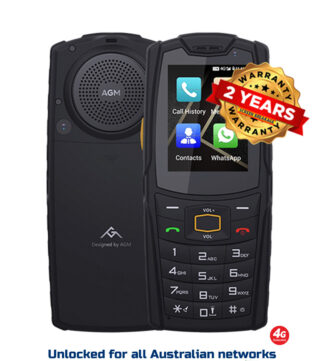
A rugged phone that survives a drop off the ute tray is no help if it cannot hold a call at the edge of a work site. That is why this Australian rugged phone compatibility guide starts with the parts that actually decide whether a device will work where you work: Australian network bands, VoLTE support, carrier rules, software and the accessories your job relies on.
Cheap imported phones often look convincing on paper. They may carry an IP rating, a huge battery and a long list of camera modes, yet arrive with the wrong network configuration, uncertain update support or a global ROM that was never properly prepared for Australian carriers. Compatibility is not a box to tick. It is the difference between a dependable work tool and an expensive paperweight.
Start with the Australian network bands
Australia’s mobile networks use a mix of 4G and 5G frequencies. A rugged phone does not need every band ever used here, but it must support the bands that matter for your carrier and the places you travel.
For 4G, Band 28 at 700 MHz is the big one for regional and indoor coverage. Its lower frequency carries further from the tower and handles obstacles better than higher bands. If you work on farms, travel long stretches of highway, operate in mining areas or spend time beyond the suburbs, a phone without Band 28 is a poor bet.
Band 3 at 1800 MHz is also widely used and remains important in towns, industrial areas and many regional locations. Band 1 at 2100 MHz and Band 7 at 2600 MHz can add capacity in more built-up areas. Some networks use additional bands in particular locations, but Band 28 and Band 3 are the practical starting point for most Australian buyers.
5G is less straightforward. n78 is common in metropolitan and larger regional areas, while lower-band 5G such as n28 can matter for broader coverage as it expands. The exact experience depends on the carrier, local tower upgrades and your plan. Do not buy a 5G rugged phone simply because the specification says “5G”. Check the supported 5G bands and make sure the device is intended for Australian use.
Telstra, Optus and Vodafone are not interchangeable
A device can be compatible with one network and less suitable for another. Telstra’s footprint makes it a common choice for remote work, but that does not mean every overseas handset will be fully accepted or provisioned for all Telstra services. Optus and Vodafone have different band mixes, coverage footprints and device approval processes.
If coverage is mission-critical, begin with the SIM you use now, or the carrier you plan to use. Then assess the phone against that network. Do not make the mistake of choosing a handset first and hoping the network side sorts itself out later.
Also remember that mobile providers using a major network may apply their own device policies. A phone working with one provider does not guarantee identical calling features with every reseller on that network.
The Australia rugged phone compatibility guide to calling
Since Australian 3G networks closed, 4G calling support is no longer optional. Your rugged phone needs VoLTE, which means Voice over LTE. Without it, a handset may show data signal but fail to make or receive ordinary calls reliably, particularly once older fallback services are gone.
This is where generic marketplace listings get slippery. “Supports VoLTE” can mean the hardware is technically capable. It does not always mean VoLTE is enabled, correctly configured or accepted by the Australian carrier you use. Carrier provisioning, firmware and an approved device profile can all affect the result.
Before buying, confirm that the phone supports Australian VoLTE operation for your intended network. This matters even more if the device is for a lone worker, a remote property, an emergency kit or a family member who cannot troubleshoot mobile settings when something goes wrong.
Emergency calling deserves the same level of attention. A compatible Australian mobile should be able to access emergency services when there is an available network, but do not assume a poorly configured import will behave like a locally supported device. Keep the operating system updated, use an active and suitable service, and test normal calling before the phone is sent into the field.
Check the version, not just the model name
Rugged phone manufacturers often release several versions under one model name. One may be built for Europe, another for North America and another for global markets. The casing can look identical while radio bands, RAM, storage, NFC support or firmware differ underneath.
Ask for the exact model variant and verify its listed 4G and 5G bands. “Global version” is not a magic phrase. It should be supported by a full specification, proper Australian compatibility testing and a seller willing to stand behind the device.
This is also why factory quality matters. A lower-priced variant may use inferior components, carry a modified ROM or lack the quality control needed for long-term field use. Saving a small amount upfront is meaningless if the phone has unstable reception, unreliable charging or no practical warranty path when it fails.
Rugged Phones Australia focuses on selected models for this reason. The goal is not to stock every tough-looking handset available. It is to filter out the versions and factories that create problems after the sale.
Dual SIM, eSIM and work numbers
Dual SIM is useful for plenty of Australian workers. You might keep a personal number on one service and a work number on another, or pair a metro carrier with a service that performs better on your usual regional routes. But dual SIM operation has limits worth checking.
Many phones support two physical nano-SIMs, while others use one physical SIM plus eSIM. Some models reduce 5G capability on the secondary SIM, require you to nominate which SIM handles mobile data, or offer only one active VoLTE line at a time. These details are normal, but they need to suit how you work.
If your employer uses an eSIM, mobile device management platform or business calling app, confirm that the rugged handset supports it before ordering. eSIM remains less common on rugged models than mainstream flagship phones, so never assume it is included.
Compatibility goes beyond the network
A phone can connect to the carrier and still be the wrong tool for the job. Start with the equipment around it.
For a vehicle-based role, check Bluetooth stability with your hands-free unit, plus USB-C charging behaviour in the cab. If you rely on Android Auto, barcode scanners, payment terminals, Bluetooth headsets or a vehicle cradle, test or confirm those specific uses. Thick protective housings, side buttons and large battery packs can interfere with universal mounts and charging docks.
NFC is another common trap. Some rugged models include it for tap-and-go payments, access cards and asset systems; others do not. If you use site access, attendance systems or payment apps, make NFC a firm requirement rather than an afterthought.
For field teams, GPS performance matters too. Look for support across major satellite systems and consider how the phone performs under a vehicle windscreen, around machinery or in heavily wooded country. A thermal camera, night vision camera or oversized battery may be valuable, but only if it does not compromise the functions your crew uses every day.
Software, security and app support
Most rugged phones run Android, but the Android version alone does not tell the full story. Ask whether the phone receives security patches, whether Google Mobile Services are properly installed and whether the software is suitable for the apps you depend on.
Banking apps, work portals, Microsoft 365, authentication apps and mobile device management tools can reject devices with altered software, an unlocked bootloader or outdated security settings. The same applies to some payment and government services. A bargain phone with questionable firmware is a risk to both productivity and data security.
For schools or families wanting a limited-use device, the question changes. A no-internet or restricted-function phone may be the right answer, but make sure its calling, SMS and permitted contact features suit the situation. Less access can be a feature, not a compromise, when the aim is safety and fewer distractions.
A practical pre-purchase check
Before committing, get clear answers on the exact variant, Band 28 and Band 3 support, 5G bands if required, Australian VoLTE compatibility, SIM arrangement, NFC, software support and warranty process. For a phone heading into remote work, also ask what happens if it is damaged and whether screen replacement or accidental damage cover is available.
Do not let a massive battery figure distract from these basics. Battery capacity is useful only when the device can make a clear call, run your required apps and be repaired or supported locally when hard use catches up with it.
Choose the phone around the network and the job, not around the flashiest specification sheet. That is how you end up with a rugged mobile that earns its place in the tool bag.