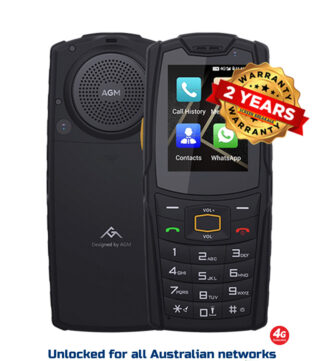
A cracked screen is annoying in town. On a station track, a mine site or a job several hours from the nearest service centre, it can become a safety problem. The best emergency phone features are not gimmicks buried in a settings menu. They are the functions that still work when conditions are wet, dusty, cold, loud, dark and well outside reliable mobile coverage.
For Australian workers and remote travellers, the right phone is part of the safety kit. But not every rugged-looking mobile is properly equipped for the job. A big battery alone will not get a message out. An SOS button is useless if it is too easy to trigger or cannot be configured. The sensible approach is to understand what each feature does, where its limits are, and which ones matter for your work.
Best emergency phone features that earn their place
A genuine SOS function with simple setup
An emergency SOS feature should be fast enough to use with gloves on, under stress, or after a fall. Depending on the device and operating system, activating SOS may call emergency services, send a text message to nominated contacts, share your location, sound an alarm or begin recording information.
The feature is only useful if you set it up before leaving site. Add trusted contacts, confirm the correct phone numbers, enable location sharing where available, and practise the activation method. A physical programmable button can be a strong option on a rugged phone, provided it is recessed or protected against accidental presses in a pocket or tool bag.
Do not assume every SOS function contacts 000 automatically. Many trigger calls or messages through the normal mobile network, so coverage still matters. Read the device settings carefully and test them in a controlled situation.
Location sharing and accurate GPS
When someone is injured or stranded, “somewhere off the highway” is not a location. A phone with reliable GPS and location-sharing capability can give a supervisor, family member, recovery crew or emergency responder a far better starting point.
Look for a handset that supports major satellite navigation systems, not GPS alone. GPS, Galileo, GLONASS and BeiDou support can improve the chances of a quick position fix, particularly around steep terrain, forest, cuttings or built-up industrial sites. Offline maps are equally valuable. Download the relevant area before heading out, because mapping apps cannot fetch new map data without a connection.
Location accuracy is not a substitute for a dedicated personal locator beacon or satellite messenger in seriously remote country. It is, however, an essential layer of protection for workers operating within intermittent coverage or travelling between jobs.
Battery capacity you can rely on
Emergency features mean nothing when the battery is flat. Long battery life is one of the most practical reasons to choose a proper rugged mobile over a thin consumer handset. A large battery gives you more than extra screen time. It gives you a buffer for poor-signal conditions, navigation, location sharing, torch use and long days away from a charger.
Poor reception drains batteries quickly because the phone repeatedly searches for a tower. Cold weather, background apps and a bright display make it worse. For field work, choose a device with enough capacity for your actual shift pattern, then keep power use under control. Carry a quality power bank, a vehicle charger and, where appropriate, a spare charging lead in the ute.
Battery size is not the whole story. A phone needs stable software, sensible power management and a battery that has not been compromised by bargain-grade components. This is where vetted sourcing matters. A claimed capacity on a spec sheet is cheap. Dependable runtime in the field is what counts.
A tough build that protects the basics
Ruggedness is an emergency feature because a phone that survives the incident can be used to report it. At minimum, assess water resistance, dust resistance, drop protection and screen protection. Ratings such as IP68 and IP69K can be useful indicators, but they are not permission to abuse any phone without limits.
A solid device should have reinforced corners, properly protected charging ports and physical buttons that remain usable when wet or dirty. The display needs to be tough enough for daily knocks, but also bright enough to read in harsh Australian sun. A large screen is handy for maps and forms, although it can make one-handed use harder. The right balance depends on whether you are wearing gloves, climbing ladders or working from a vehicle.
Be wary of phones sold purely on a dramatic drop-test video. Ask whether the model is serviceable, whether the screen can be replaced, and whether local warranty support exists. A supposedly rugged mobile that becomes rubbish after one repair issue is not a serious work tool.
Loud, clear audio and physical controls
Emergency calls often happen beside machinery, on windy roadsides or in heavy rain. A loud speaker, decent earpiece volume and effective noise reduction make a real difference. If you cannot hear instructions from a supervisor or emergency operator, the most advanced phone on site is not helping much.
Physical buttons are also worth prioritising. They are easier to find than on-screen controls when you are wearing gloves, your hands are muddy or the display is wet. A dedicated push-to-talk button can suit team operations, while an assigned shortcut for the torch, camera or SOS setting can save time. The trade-off is that extra buttons need thoughtful placement so they do not activate in a pocket.
A torch that is actually useful
Every phone has a flash. Not every phone has a torch capable of lighting up a tyre change, a switchboard or the ground around a vehicle at night. Some rugged phones include high-output LED torches designed for practical work rather than quick photos.
This is not a replacement for a proper headlamp. A headlamp keeps both hands free and should remain in your kit. But a strong phone torch is an excellent backup because it is likely to be on your person already. Check that it can be activated quickly and that it does not chew through battery life unnecessarily.
Thermal imaging or night vision for specialist work
Thermal imaging and night vision are not essential for every worker, but they can be valuable in the right environment. Thermal cameras can help identify overheating equipment, electrical hot spots, heat loss or the recent presence of people and animals. Night vision can assist with low-light inspections and security work.
These features need realistic expectations. A phone-mounted thermal sensor is useful for screening and observation, not a replacement for certified industrial testing equipment. Likewise, night vision does not make a phone a search-and-rescue device. If the work has compliance requirements, use the approved equipment. For practical checks and situational awareness, however, these tools can add genuine value.
Coverage comes before clever features
The best emergency phone features cannot defeat geography. Standard calls, texts and data require compatible network coverage. Before buying a mobile for regional or remote work, confirm that it supports the Australian network bands you need, including the service used in the areas where you spend time. Imported devices with incomplete band support can look like a bargain until they fail to hold service where your old phone did.
Satellite emergency messaging is a separate capability. Where available, it can be extremely useful beyond mobile range, but support varies by handset, provider, software version and location. It may require a clear view of the sky, a subscription or a supported emergency service arrangement. Do not buy on the assumption that any recent phone offers satellite contact in Australia.
For isolated work, use layers: a rugged phone, a charging plan, itinerary check-ins, offline mapping and a dedicated satellite communicator or PLB where the risk assessment calls for one. That is a far more sensible plan than trusting one feature to cover every failure.
Set the phone up before it becomes urgent
A well-equipped phone still needs preparation. Keep the operating system updated, add emergency contacts and medical information, enable the SOS tools you intend to use, and download maps for regular work areas. Store key numbers in the handset and on a physical card. If an incident is serious, tell emergency services your location, the nature of the hazard, the number of people involved and the safest access point.
Test the practical stuff too: can you unlock the phone with gloves on, hear it from inside machinery, use its torch, and charge it from the vehicle? These small checks expose bad buying decisions before they matter.
Choose the features that match the risks you actually face, then choose a phone built to keep those features available after dust, water, drops and long shifts have had their say. That is the standard a work phone should meet.